
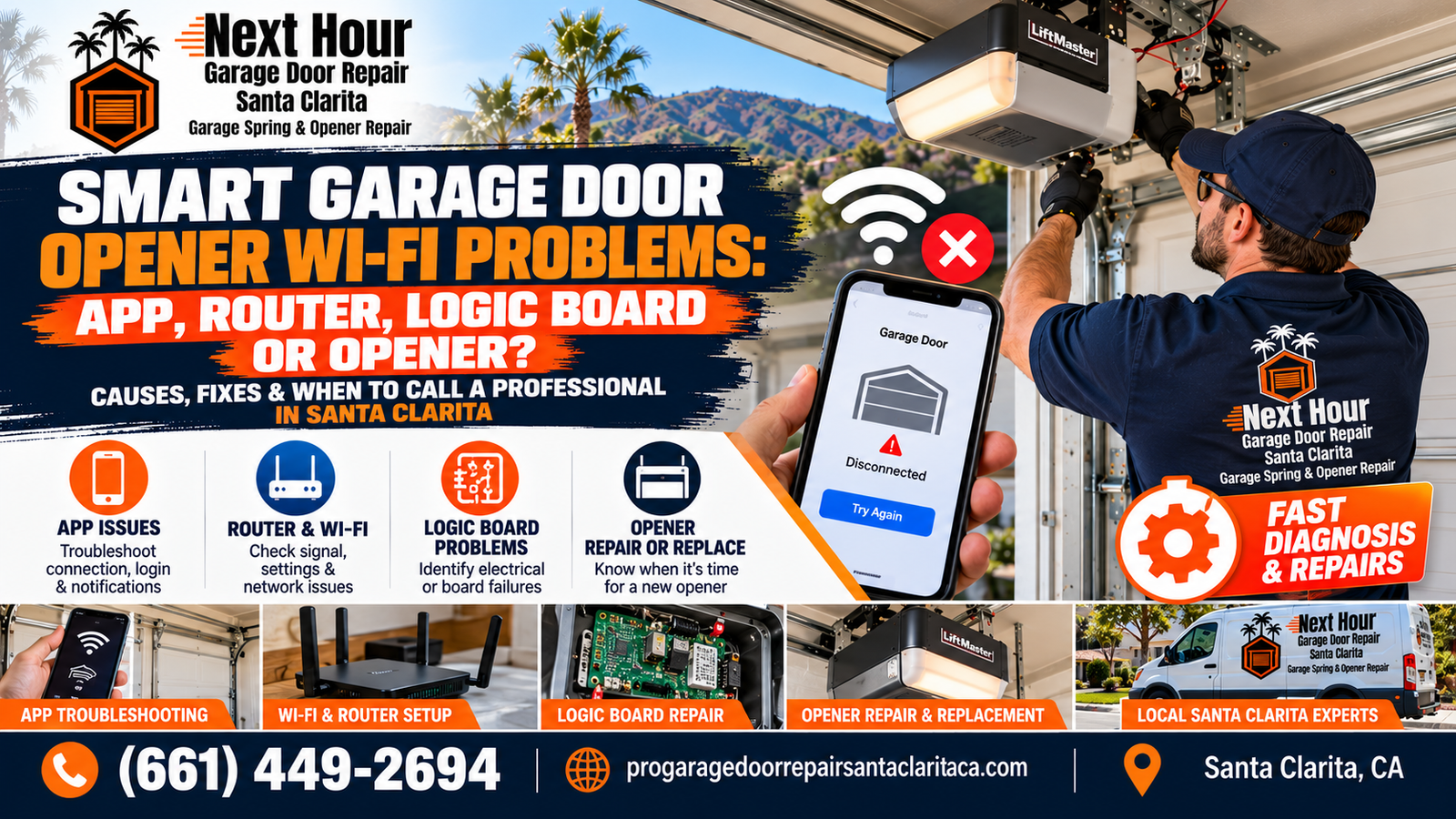
Smart Garage Door Opener Wi-Fi Problems: App, Router, Logic Board or Opener?
Your garage door still works from the wall button, but the phone app says it is offline. Or the app works sometimes, then loses connection. Is the problem your smartphone, router, Wi-Fi signal, smart module, logic board or the garage door opener itself? This guide helps narrow it down without replacing parts unnecessarily.
Smart garage door openers add another layer to traditional garage door troubleshooting. A standard opener only needs power, controls and a working mechanical system. A connected opener also depends on your phone, app account, home internet, Wi-Fi signal, router settings and the opener's internal smart electronics.
The important distinction is between a connectivity failure and an opener failure.
Replacing a perfectly functional opener will not solve weak Wi-Fi coverage in the garage. At the same time, repeatedly resetting your router will not repair a damaged logic board.
For broader motor and circuit-board troubleshooting, see the Santa Clarita Garage Door Opener Failure Study .
On This Page
Start With This Smart Garage Door Opener Troubleshooting Order
The easiest way to avoid replacing the wrong component is to troubleshoot from the outside of the system inward.
A Very Useful Test
Press the physical wall control inside the garage. If the door opens and closes normally but the app cannot communicate with the opener, the problem is more likely to be in the connected side of the system than in the garage door motor's basic lifting function.
Smart Opener Symptom Guide: App, Router, Logic Board or Opener?
| What You Notice | Most Likely Area to Check | First Step |
|---|---|---|
| App will not open or load properly | App / phone / internet | Restart the app and phone, then verify internet access |
| App opens but opener shows offline | Wi-Fi / router / opener connection | Check home internet and Wi-Fi connection at the garage |
| Problem started after changing router or Wi-Fi password | Network configuration | Reconnect the opener using the new network information |
| Opener connects during setup but later goes offline | Weak or unstable Wi-Fi | Test signal strength in the garage |
| Wall button works but app and smart controls do not | Connectivity / smart electronics | Troubleshoot network and Wi-Fi module before the motor |
| Remote, keypad and app all stop responding together | Receiver / logic board / power | Confirm power, then diagnose opener electronics |
| Opener clicks or behaves erratically after a surge | Logic board / electrical components | Professional board and power inspection |
| App sends command but motor hums and door does not move | Motor / gear / spring / door balance | Stop repeated operation and inspect mechanical system |
| Door opens only several inches from app or wall button | Garage door system | Check spring, cables and door balance |
How Do You Know If the Smartphone App Is the Problem?
Basic App Checks
- Force close the garage door app.
- Open it again.
- Restart the phone if necessary.
- Confirm the phone can access other websites or apps.
- Switch between home Wi-Fi and cellular data.
- Confirm you are signed into the correct account.
- Check whether the opener appears in the account.
For myQ specifically, Chamberlain's current support guidance recommends starting with app restart, phone restart, internet verification and switching between Wi-Fi and mobile data when the application itself cannot connect properly.
When It Probably Is Not Just the App
If the app loads normally and other connected devices work but your garage door opener alone remains offline, move to the opener's Wi-Fi connection and home-network troubleshooting.
How Do You Know If the Router Is Causing the Garage Door Problem?
Smart garage door openers depend on the home router just like other connected devices.
Router or Network Problems Are More Likely When:
- Several smart-home devices went offline at the same time.
- The problem began after a router replacement.
- The Wi-Fi password recently changed.
- The network name was changed.
- The opener reconnects temporarily after the router restarts.
- Wi-Fi coverage in the garage is weak.
- The opener works locally but shows offline remotely.
Check the Internet Separately From Wi-Fi
A phone can sometimes show that it is connected to a Wi-Fi network even when the router itself has lost internet access. Connect your phone to the same home network and verify that websites or other internet services actually load.
Weak Wi-Fi Signal in the Garage Can Make an Opener Look Broken
Garages can be difficult wireless environments. Distance from the router, walls, metal garage-door surfaces, appliances and the layout of the home can weaken the signal.
Signs of Weak Garage Wi-Fi
- Opener frequently switches between online and offline.
- App status updates are delayed.
- Notifications arrive late.
- Setup fails unless the phone is very close to the opener.
- The network appears weak or disappears in the garage.
- The opener connects to another nearby network or hotspot more reliably.
Ways to Improve Coverage
- Move the router to a more open location.
- Move the router closer to the garage when practical.
- Reduce large obstructions around the router.
- Consider a compatible mesh node or Wi-Fi extender.
- Test coverage at the opener location before changing opener hardware.
Did the Problem Start After Installing a New Router or Changing the Wi-Fi Password?
The opener still remembers the previous network information. A new router may broadcast a different SSID, use another password or have different wireless settings.
Common Network Changes That Require Reconnection
- New internet provider
- Replacement router
- Changed Wi-Fi network name
- Changed Wi-Fi password
- Router factory reset
- New mesh Wi-Fi installation
- Network security setting changes
Follow the manufacturer-specific reconnection procedure for your opener model rather than repeatedly resetting unrelated garage-door settings.
Does a Smart Garage Door Opener Need 2.4 GHz Wi-Fi?
Current manufacturer guidance for myQ Wi-Fi products specifies 2.4 GHz connectivity, and Genie's Aladdin Connect guidance also directs users to a 2.4 GHz network during setup.
This matters because many modern routers provide both 2.4 GHz and 5 GHz bands. Some combine the bands under one network name while others display separate names.
If Setup Cannot Find Your Network
- Confirm the opener supports the selected Wi-Fi band.
- Make sure the router is actually broadcasting 2.4 GHz.
- Confirm the network name and password are correct.
- Move closer to the opener during initial setup.
- Follow the manufacturer's instructions for mesh or combined-band routers.
Do Not Change Router Settings Randomly
Router menus vary by manufacturer. If you are unsure how your network bands or security settings are configured, use the router manufacturer's instructions or contact your internet provider rather than disabling security settings just to connect the opener.
When Could the Garage Door Opener Logic Board Be the Problem?
The logic board acts as the opener's electronic control center. Depending on the model, it can be involved in remote communication, motor commands, safety inputs and smart connectivity.
Logic-Board Diagnosis Becomes More Relevant When:
- The opener has power but behaves erratically.
- Multiple controls stopped working at the same time.
- The problem appeared after a power surge.
- Wireless connectivity and remote reception both became unreliable.
- The opener clicks but the motor does not respond normally.
- The opener repeatedly loses settings.
- Other electrical symptoms occur in addition to Wi-Fi failure.
Next Hour's Santa Clarita opener failure guide identifies power surges, heat, age and electrical faults as possible causes of logic-board damage.
Wi-Fi Failure Alone Does Not Prove the Board Is Bad
A smart opener appearing offline can still be caused by weak signal, changed credentials, router problems or setup errors. Logic-board replacement should follow diagnosis, not simply an offline message in the app.
When Is the Garage Door Opener Itself More Likely to Be Failing?
If local controls fail along with the app, the problem is no longer isolated to remote connectivity.
Motor Hums
The motor makes noise but the trolley or door does not move.
Grinding
Worn drive gears or internal mechanical components may be involved.
Clicks Only
Electrical, capacitor, logic-board or motor issues may need diagnosis.
Intermittent Operation
Heat, wiring, electronics or motor problems can create random failures.
Repeated Shutdown
Motor overheating or excessive load may be involved.
Multiple Functions Fail
App, remote, keypad and local operation problems together can indicate a broader opener issue.
For more help distinguishing motor, sensor and board symptoms, read Garage Door Opener Not Working? 10 Common Problems .
A Mechanical Garage Door Problem Can Look Like a Smart-Opener Failure
Mechanical Problems That Can Stop a Smart Opener
- Broken torsion spring
- Weak or incorrect spring
- Loose or snapped cable
- Off-track roller
- Bent garage door track
- Damaged hinge
- Manual lock engaged
- Door badly out of balance
Do Not Keep Sending Commands From the App
If the opener hums, strains, lifts only a few inches or the garage door looks crooked, stop repeatedly activating it from the phone or wall control. The opener may be reacting to a mechanical garage-door problem.
See Why Your Garage Door Won't Open in Santa Clarita for additional spring, cable, track and opener causes.
What If Wi-Fi Problems Started After a Power Outage or Surge?
Power events can affect several layers of the system at once. The router may reboot, internet service may take time to return, and the opener may need to reconnect to the network.
A stronger electrical surge can potentially damage opener electronics, including the control board.
After Power Returns
- Confirm the router is back online.
- Confirm other household devices have internet access.
- Allow connected devices time to reconnect.
- Test the garage door from the wall control.
- Check whether the app now shows the opener online.
- If local opener functions also fail, schedule electrical/opener diagnosis.
The Santa Clarita Garage Door Opener Failure Study includes logic-board and power-surge failure examples.
Should You Factory Reset a Smart Garage Door Opener?
Different resets can erase different information. Depending on the opener, resetting network settings may be different from clearing remotes, keypads or complete opener memory.
Before Resetting Anything
- Identify the exact opener model.
- Determine whether you need a Wi-Fi reset or full memory reset.
- Have the network name and password available.
- Make sure you can reprogram remotes and keypads if required.
- Follow the opener manufacturer's procedure.
If the device worked until a router or password change, a network reconnection is usually a more logical starting point than erasing all opener settings.
When Should You Replace a Smart Garage Door Opener?
An app connection problem by itself is usually not enough reason to replace the entire opener.
Replacement Becomes More Reasonable When:
- The opener has repeated electrical failures.
- The logic board and other major components are failing.
- Replacement electronics are no longer available.
- The motor is also worn or unreliable.
- The opener repeatedly overheats or shuts down.
- You want compliant battery backup and modern connectivity.
- The existing smart platform no longer meets your needs.
- A major repair approaches the value of replacing an aging unit.
Repair the Network Problem, Not the Motor
If the opener operates perfectly from wall controls and remotes but your garage has weak Wi-Fi coverage, improve the network first. A new smart opener installed in the same weak-signal location may experience the same connectivity problem.
For a complete replacement decision, see Repair or Replace a Garage Door Opener in Santa Clarita? Age, Parts & Upgrade Guide .
What Should You Look for If You Upgrade the Smart Opener?
Reliable Wi-Fi
Confirm adequate garage coverage before installation.
Battery Backup
Use an opener that meets applicable California residential requirements.
Quiet Drive
Belt-drive systems may be useful when living space is near the garage.
Smart Controls
Choose a platform with the monitoring and access features you actually use.
Door Compatibility
The motor and rail should be matched to the garage door system.
Professional Setup
Confirm travel limits, force, sensors, remotes and app connectivity.
Next Hour's Smart Garage Door Opener Installation page covers Wi-Fi syncing, battery backup and modern LiftMaster and Genie installation options.
Smart Garage Door Opener Problems in Santa Clarita Homes
Connected opener problems can be influenced by both the garage environment and the home's network layout.
Santa Clarita Factors Worth Checking
- Router located far from an attached garage
- Large homes with weak garage Wi-Fi coverage
- Mesh-network changes or replacement routers
- Hot garage temperatures affecting electronics over time
- Power interruptions requiring reconnect or backup operation
- Older openers upgraded with separate smart hubs
- Built-in Wi-Fi openers using MyQ or other smart platforms
- Heavy or poorly balanced doors creating motor strain
Next Hour Garage Door Repair Santa Clarita provides opener, logic-board, smart Wi-Fi, sensor, remote, keypad and motor service throughout Valencia, Saugus, Canyon Country, Newhall, Stevenson Ranch and surrounding Santa Clarita Valley communities.
Smart Garage Door Opener Wi-Fi Troubleshooting Checklist
- Test the wall control. Does the garage door operate normally without the app?
- Test a handheld remote. Does normal radio control still work?
- Check the app. Does it load correctly and show your account?
- Verify home internet. Make sure other connected devices can reach the internet.
- Check garage Wi-Fi coverage. Weak signal can cause repeated offline messages.
- Think about recent changes. Did you replace the router, change the network name or update the password?
- Verify the correct Wi-Fi band. Many common smart opener systems require 2.4 GHz connectivity.
- Look for electrical symptoms. Clicking, random operation or multiple dead controls may require logic-board diagnosis.
- Listen to the motor. Humming or grinding may point toward a mechanical opener problem.
- Check the garage door itself. A broken spring or binding door can stop even a perfectly connected smart opener.
Smart Garage Door Opener Offline or Not Responding?
Next Hour Garage Door Repair Santa Clarita can help diagnose whether the problem is related to Wi-Fi setup, smart connectivity, sensors, remotes, the logic board, opener motor or the garage door itself.
Correct diagnosis matters because replacing the opener will not fix weak home Wi-Fi—and changing router settings will not repair a damaged motor or circuit board.
Smart Garage Door Opener Wi-Fi Problems: Frequently Asked Questions
Why does my smart garage door opener say offline?
Common causes include loss of power, weak Wi-Fi coverage, internet problems, a changed router, a changed Wi-Fi password or lost connection between the opener and home network.
How can I tell whether the app or opener is the problem?
Test the garage door from the physical wall control. If the door operates normally but the app cannot communicate with it, start with the phone, app, internet and Wi-Fi connection before assuming the opener motor has failed.
Why did my smart garage door opener stop working after I installed a new router?
The opener may still be trying to connect with the previous network name or password. Reconnect the opener using the manufacturer instructions for your new Wi-Fi network.
Does myQ need 2.4 GHz Wi-Fi?
Current Chamberlain guidance specifies the 2.4 GHz Wi-Fi band for myQ Wi-Fi products. Follow the requirements for your exact opener or smart hub during setup.
Does Genie Aladdin Connect use 2.4 GHz Wi-Fi?
Genie currently instructs Aladdin Connect users to connect through a 2.4 GHz network and recommends adequate Wi-Fi signal at the garage location.
Can weak Wi-Fi make my garage door opener appear broken?
Yes. Weak signal can cause an opener to appear offline, disconnect after setup or provide delayed status updates even when the garage door still operates correctly from local controls.
Can a bad logic board cause Wi-Fi problems?
It can, depending on the opener design and the type of board failure. Logic-board problems are more suspicious when Wi-Fi trouble occurs together with remote, motor, control or other electrical symptoms.
Should I factory reset my garage door opener?
Not as the first step. A full reset may erase remotes, keypads or other stored settings depending on the opener. Start with basic app and network troubleshooting and follow the reset procedure for your exact model only when needed.
Why does the app work but the garage door still will not open?
The connection can be working while the garage door has a separate mechanical problem. Broken springs, cable failures, damaged rollers, track problems and poor door balance can prevent the opener from moving the door.
Should I replace the opener if Wi-Fi keeps disconnecting?
Not until Wi-Fi coverage, router settings and network credentials have been checked. Replacement becomes more reasonable when connectivity problems occur together with failing electronics, unavailable parts, motor problems or repeated opener failures.
Does Next Hour Garage Door Repair Santa Clarita work on smart garage door openers?
Yes. Next Hour Garage Door Repair Santa Clarita provides opener, logic-board, sensor, remote, keypad, smart Wi-Fi and motor service throughout the Santa Clarita Valley. Call (661) 449-2694 for current service availability.
Smart Garage Door Opener Service in Santa Clarita, CA
Next Hour Garage Door Repair Santa Clarita provides smart opener, logic-board, Wi-Fi setup, motor, remote, keypad and garage door service throughout Santa Clarita and surrounding communities.
Find the Connection Problem Before Replacing the Opener
Smart garage door opener problems can begin with the phone, app, router, Wi-Fi signal, network settings, smart electronics, logic board, motor or the garage door itself.
Next Hour Garage Door Repair Santa Clarita can help identify whether the problem is digital, electrical or mechanical so you can repair the actual failure instead of replacing parts unnecessarily.
Call (661) 449-2694