
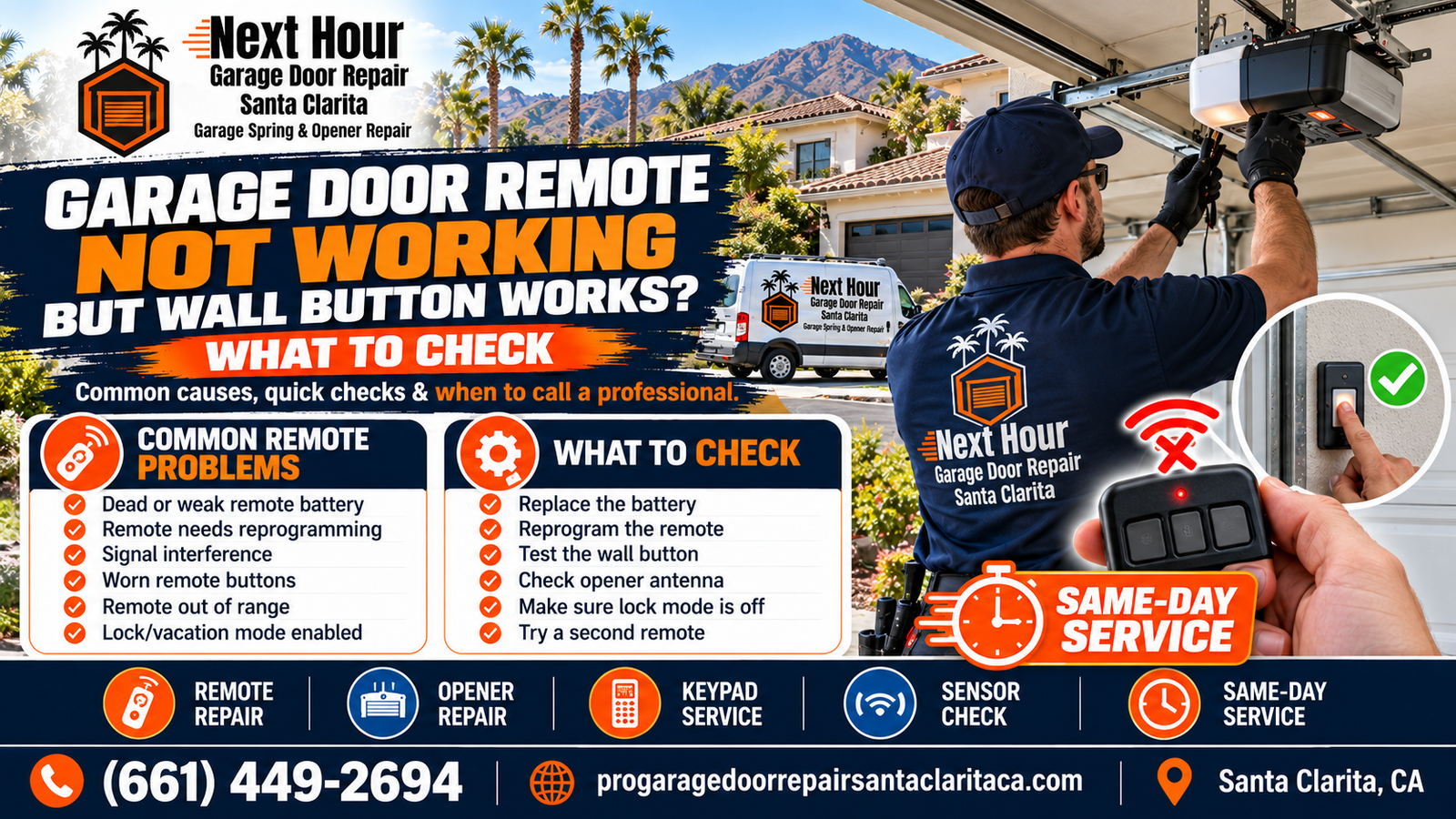
Garage Door Remote Not Working but Wall Button Works? What to Check
If the garage door opens normally from the wall button but your handheld remote does nothing, that is an important diagnostic clue. The opener motor and basic door operation may still be functioning correctly. Start with the remote battery, programming, lock mode, signal range, antenna and receiver before assuming the entire opener needs replacement.
A garage door remote that stops working can be annoying, but the fact that the wall button still operates the door gives you useful information. The motor has power, the wall control is communicating with the opener, and the garage door can still complete at least one normal operating cycle.
This symptom is different from an opener that is completely dead. If the wall control still moves the door normally, there is usually no reason to start by replacing the motor.
The Next Hour Garage Door Opener Failure Study uses this exact pattern—wall button works while the remote or keypad does not—as a clue to investigate batteries, programming, the receiver, antenna and logic-board response.
For broader opener diagnosis, see the Santa Clarita Garage Door Opener Failure Study .
On This Page
Garage Door Remote Not Working: What Does the Pattern Suggest?
| What Happens | Possible Cause | First Thing to Check |
|---|---|---|
| Wall button works, one remote does not | Battery, programming or failed remote | Replace battery and test another remote |
| Remote works only close to garage | Weak battery, interference or antenna problem | Replace battery and inspect range |
| All remotes stopped working | Lock mode, receiver, antenna or logic board | Check wall console lock function |
| Remote and keypad both stopped working | Wireless receiver, programming or opener electronics | Check lock mode and opener receiver |
| Remote works only sometimes | Battery, transmitter, interference or receiver | Look for a pattern and compare other remotes |
| Remote stopped after opener reset | Programming erased | Reprogram using correct opener instructions |
| Remote stopped after a power surge | Receiver or logic-board damage | Test other wireless controls |
| Remote activates opener but door does not move | Opener or garage-door mechanical problem | Inspect motor response, springs and door balance |
1. Replace the Garage Door Remote Battery
Signs of a Weak Remote Battery
- Remote works only when very close to the garage.
- You have to press the button more than once.
- Remote response has gradually become less reliable.
- Another remote still works normally.
- The transmitter indicator light is weak or inconsistent.
Use the battery type specified for the remote. After replacement, test the remote before erasing or reprogramming opener memory.
Do Not Reprogram the Opener Before Trying the Battery
If the remote simply has a weak battery, clearing opener memory can create extra work by disconnecting other remotes and keypads that were functioning correctly.
2. The Remote May Need to Be Reprogrammed
A remote can have a fresh battery and still fail because the opener no longer recognizes its transmitter code.
Programming May Be Lost After:
- Opener memory was intentionally cleared.
- A logic board was replaced.
- A new opener was installed.
- Someone reset all remotes for security.
- A replacement remote was purchased.
Reprogramming procedures differ by LiftMaster, Chamberlain, Genie, Craftsman and other opener generations.
Identify the exact opener and remote model rather than using random programming instructions that may erase other devices.
3. Check the Opener's Lock or Vacation Mode
Many garage door opener wall stations include a lock or vacation function designed to disable wireless transmitters while keeping the wired wall control usable.
This is useful for security but can look exactly like a remote or receiver failure when it is activated accidentally.
Before Replacing a Remote:
- Look for a lock indicator on the wall console.
- Check whether every remote is affected.
- Test the exterior keypad.
- Review the wall-control instructions for your opener model.
4. The Remote Button or Transmitter May Be Worn Out
Remote controls live in cars, purses, toolboxes and garages. Buttons can wear, internal contacts can fail and cases can be damaged from repeated use.
Possible Signs of a Failing Remote
- Button must be pressed very hard.
- Remote works only when the button is pressed at an angle.
- Remote case is cracked.
- Battery contacts are loose or corroded.
- A different remote works normally from the same location.
If another compatible remote works reliably, replacing the failing remote may be more practical than servicing the garage door opener.
5. Why Does the Remote Work Only When You Are Close to the Garage?
Short remote range points more toward signal strength than basic opener operation.
Weak Battery
Reduced transmitter power can shorten the distance from which the opener receives the signal.
Interference
Nearby electronics or electrical equipment can interfere with radio communication.
Antenna / Receiver
A damaged opener antenna or receiver problem can reduce wireless range for several remotes.
Compare several remotes before blaming the opener. If one remote has poor range but another works from the street, focus on the individual transmitter.
6. Radio-Frequency Interference Can Block the Remote Signal
Garage door remotes communicate using radio frequencies. Electronic equipment near the garage can sometimes reduce the opener receiver's ability to recognize that signal.
Possible Sources Can Include:
- Some LED light bulbs
- Electronic power supplies
- Nearby radio equipment
- Recently installed electronics
- Other equipment producing radio-frequency noise
Think about whether the problem began immediately after installing a new light bulb, charger, electronic device or other equipment near the garage.
Interference Usually Affects Range or Wireless Controls
Because the interior wall button is wired directly to the opener, radio-frequency interference can affect the remotes while the wall station continues working normally.
7. Inspect the Garage Door Opener Antenna
Many ceiling-mounted garage door openers have an antenna wire hanging from the motor unit.
That antenna helps the opener receive wireless signals from compatible remotes and keypads.
Antenna Problems May Cause:
- Very short remote range
- Intermittent remote response
- Several remotes behaving similarly
- Keypad and remote communication problems
The antenna should not be deliberately cut, tightly bundled inside the opener cover or modified without following manufacturer guidance.
8. The Opener Receiver or Logic Board May Be Failing
The opener receiver must recognize the radio signal and pass the command through the opener electronics.
On many opener systems, receiver functions are integrated with the logic board.
Possible Receiver or Board Symptoms
- All remotes stop working at once.
- Remote range suddenly becomes extremely short.
- Keypad and remotes fail together.
- Reprogramming will not hold.
- Other opener electronics behave unpredictably.
- Problem began after a power surge.
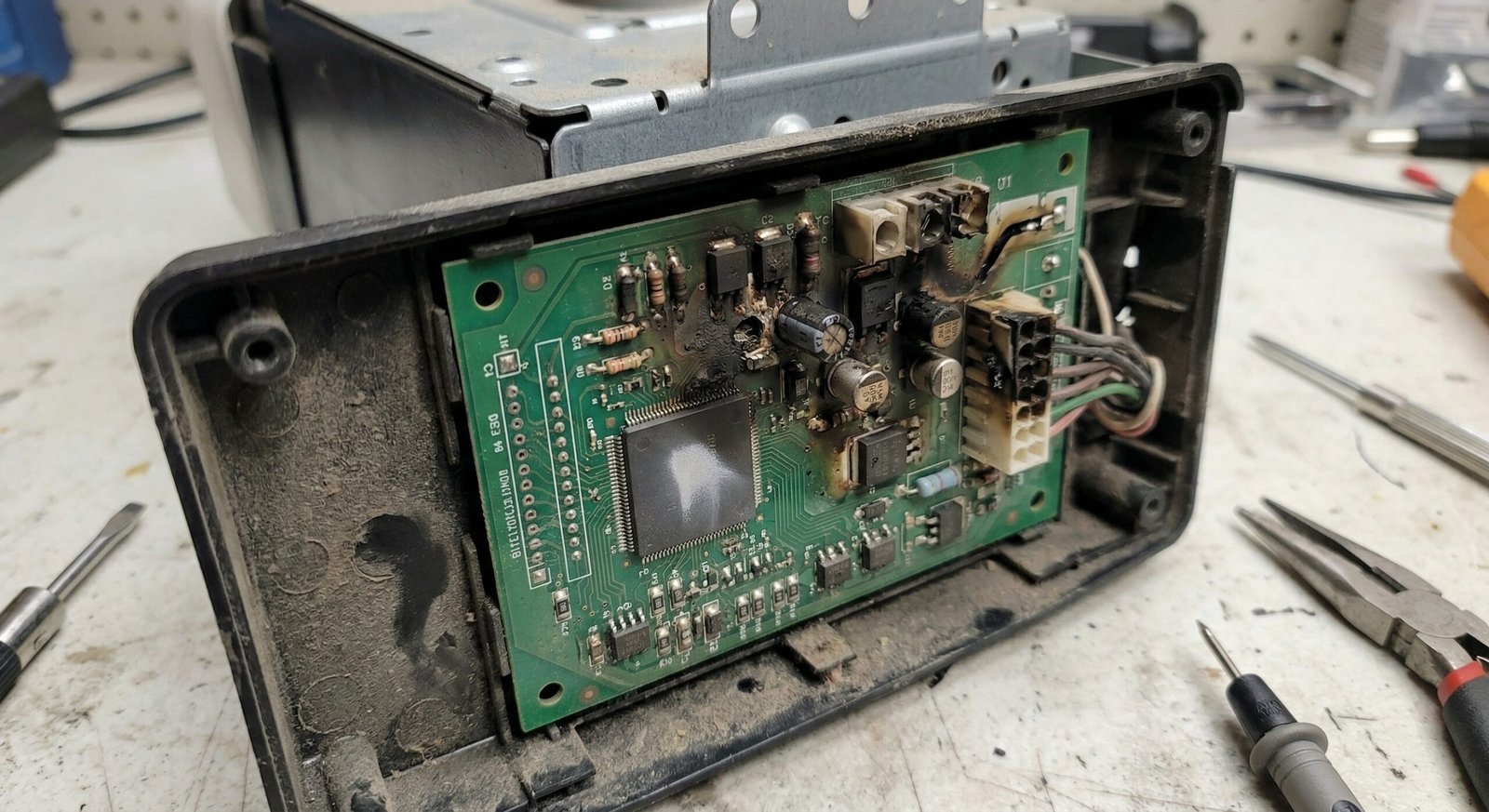
The Santa Clarita Garage Door Opener Failure Study covers receiver, antenna and logic-board failures in more detail.
9. What If Every Garage Door Remote Stopped Working?
When every remote fails at approximately the same time, avoid replacing all of their batteries and assuming several transmitters happened to fail together.
Check in This Order:
- Confirm the wall button still opens and closes the door.
- Check opener lock or vacation mode.
- Test the exterior keypad.
- Confirm opener memory was not recently cleared.
- Attempt programming using the correct manufacturer procedure.
- Inspect antenna condition.
- Consider receiver or logic-board diagnosis.
Several Remotes Failing Together Is an Important Clue
A problem common to every wireless control is more likely to be located at the opener or in a shared setting such as lock mode or programming memory.
10. Does the Garage Door Keypad Still Work?
The exterior keypad provides another useful comparison because it communicates wirelessly with the garage door opener.
| Remote | Keypad | Wall Button | Likely Direction |
|---|---|---|---|
| Does not work | Works | Works | Focus on individual remote |
| Does not work | Does not work | Works | Lock mode, programming, receiver, antenna or board |
| Works | Does not work | Works | Focus on keypad battery/programming |
| Does not work | Does not work | Does not work | Power, opener controls or broader opener failure |
For keypad-specific troubleshooting, see Garage Door Keypad Not Working? Battery, Programming, Wiring & Opener Problems .
Can a Power Surge Damage Only the Remote Receiver?
Electrical surges can damage opener electronics in different ways. A garage door opener may still respond to its wired wall control while the portion of the logic board responsible for wireless communication becomes unreliable.
Think About a Surge If:
- Remote problems started immediately after an outage.
- Several remotes stopped working at once.
- Keypad response changed too.
- Opener electronics show other unusual symptoms.
Next Hour's current opener service content specifically identifies power-surge damage to the logic-board radio receiver as one possible explanation when the wall button works but remotes do not.
Do Not Keep Clearing Memory After a Surge
If known-good remotes repeatedly fail to pair or lose response, professional electronics diagnosis may be more useful than repeatedly erasing and reprogramming the opener.
What If the Handheld Remote Works but Your Car's HomeLink Does Not?
Vehicle-integrated systems such as HomeLink may require their own programming procedure.
The process may involve:
- Programming the vehicle from a working handheld remote
- Using the opener learn button
- Completing a rolling-code learning sequence
- Verifying opener and vehicle compatibility
Follow instructions for both the vehicle and garage door opener rather than clearing all opener memory unnecessarily.
What If the Remote Works Sometimes but Not Others?
Intermittent operation makes the pattern especially important.
Look for Whether the Problem:
- Affects one remote or every remote
- Changes with distance from the garage
- Happens mainly at certain times of day
- Started after installing new electronics
- Appears after a power outage or surge
- Also affects the keypad
If the complete opener—not just the remote—works intermittently, diagnosis should also include wiring, logic-board condition, overheating and the garage door's mechanical load.
See Garage Door Opener Works Intermittently? 10 Problems Santa Clarita Homeowners Should Check .
What If the Remote Fails but the Smart App Still Works?
A smart opener may receive commands through more than one communication path.
If the wall button and smartphone app work but a handheld remote does not, that makes the individual remote, programming or radio-control side more suspicious.
If the smart app is also offline, check Wi-Fi and network connectivity separately.
Read Smart Garage Door Opener Wi-Fi Problems: App, Router, Logic Board or Opener? for the connected-opener diagnostic path.
Safe Remote Troubleshooting Steps for Homeowners
- Test the wall button. Confirm the opener and garage door still operate normally.
- Replace the remote battery. Use the correct battery for the transmitter.
- Try another remote. This helps determine whether the problem follows one transmitter.
- Test the keypad. Compare another wireless control.
- Check lock mode. Look at the interior wall console before reprogramming.
- Test the remote near the opener. Short range can point toward battery, interference or antenna issues.
- Think about recent changes. New electronics, power surges or opener resets may be relevant.
- Reprogram only if necessary. Follow the instructions for your exact opener and remote.
Should You Replace the Remote or Replace the Garage Door Opener?
| Situation | More Practical Direction | Why |
|---|---|---|
| One remote has dead battery | Replace battery | Opener is operating normally |
| One remote will not reprogram | Compare replacement remote | Individual transmitter may have failed |
| Remote case or buttons are damaged | Replace remote | Physical transmitter failure |
| Every wireless control fails | Inspect opener receiver first | Shared opener-side problem is more likely |
| Logic board has receiver failure | Compare board repair vs opener replacement | Depends on opener age and parts availability |
| Old opener has multiple major failures | Compare complete replacement | Repairing one receiver issue may not address overall wear |
If opener age, board availability or repeated failures are part of the decision, review Repair or Replace a Garage Door Opener in Santa Clarita? Age, Parts & Upgrade Guide .
What If the Remote Sends a Command but the Door Still Will Not Open?
Once the opener receives the command, the remote has completed its job. A door that still does not move may have a completely different problem.
Possible Causes Include:
- Broken torsion spring
- Stripped opener gear
- Disconnected trolley
- Motor problem
- Loose or broken cable
- Off-track roller
- Heavy or unbalanced garage door
Stop Repeatedly Pressing the Remote if the Motor Is Straining
If the opener hums, grinds or raises the garage door only a few inches, the issue may involve the spring, cable, gear or door balance rather than the remote.
See Why Your Garage Door Won't Open in Santa Clarita for additional mechanical causes.
Garage Door Remote Problems in Santa Clarita Homes
Next Hour Garage Door Repair Santa Clarita provides remote, keypad, opener, logic-board and garage door troubleshooting throughout Santa Clarita Valley.
Remote Problems Worth Mentioning During Service
- Only one remote fails
- Every remote stopped at the same time
- Remote works only near the garage
- Exterior keypad also stopped working
- Problem began after a power outage or surge
- Problem began after opener memory was reset
- Remote response became inconsistent after installing new electronics
- Vehicle HomeLink no longer operates the door
Service is available throughout Valencia, Saugus, Canyon Country, Newhall, Stevenson Ranch and surrounding Santa Clarita Valley communities.
What Should Professional Remote Troubleshooting Include?
Remote Test
Check battery, button response, programming and transmitter function.
Control Comparison
Test the wall station, keypad and other remotes to isolate the failure.
Lock Mode Check
Confirm the opener is not intentionally blocking wireless controls.
Antenna & Receiver
Inspect wireless range and opener receiver response.
Logic Board
Diagnose opener electronics when several wireless controls fail.
Door System Test
Confirm the door and opener operate correctly once wireless control is restored.
Wall Button Works but Your Garage Door Remote Does Not?
Next Hour Garage Door Repair Santa Clarita can diagnose remote batteries, programming, lock mode, wireless range, antenna, receiver and garage door opener logic-board problems.
The fact that the wall control still works is useful—it helps narrow the problem before unnecessary opener parts are replaced.
Garage Door Remote Not Working but Wall Button Works: Frequently Asked Questions
Why does my garage door wall button work but the remote does not?
Common causes include a weak remote battery, lost programming, opener lock mode, remote transmitter failure, poor signal, antenna problems, receiver failure or a logic-board issue.
Should I replace the remote battery first?
Yes. If only one remote is failing, replacing its battery with the correct type is one of the simplest first checks.
Why does my garage door remote work only when I am close?
Short range can be caused by a weak remote battery, radio-frequency interference, a damaged transmitter, opener antenna problems or receiver issues.
Can lock mode make the remote stop working?
Yes. On compatible garage door openers, the wall console's lock or vacation function can disable wireless controls while the wired wall button continues operating the door.
Why did all my garage door remotes stop working at once?
Check lock mode, opener programming, antenna condition, receiver response and the logic board. Several remotes failing simultaneously makes a shared opener-side problem more likely.
What if the remote and keypad both stopped working?
If the wall button still works but both wireless controls fail, check lock mode, programming, opener antenna, receiver and logic-board operation.
Can a power surge make the remotes stop working?
Yes. A surge can damage opener electronics, including the receiver portion of the logic board, even when some other opener functions continue working.
Does one broken remote mean I need a new opener?
No. If the wall button and other controls work normally, an individual failed remote can usually be addressed separately from the opener motor.
Why won't my HomeLink open the garage even though the handheld remote works?
The vehicle system may need to be programmed or paired again. Follow the programming process for the vehicle and the exact garage door opener model.
Can LED lights interfere with garage door remotes?
Certain electronic devices, including some LED lighting products, can create radio-frequency interference that reduces remote-control range or reliability.
Does Next Hour Garage Door Repair Santa Clarita program garage door remotes?
Yes. Next Hour Garage Door Repair Santa Clarita provides remote programming, keypad syncing, opener troubleshooting, receiver and logic-board service throughout Santa Clarita Valley. Call (661) 449-2694 for current service availability.
Garage Door Remote & Opener Service in Santa Clarita, CA
Next Hour Garage Door Repair Santa Clarita provides remote, keypad, receiver, logic-board and opener service throughout Santa Clarita and surrounding communities.
Use the Working Wall Button as a Diagnostic Clue
When the garage door still operates normally from the wall station, the first checks should usually stay on the wireless side: remote battery, programming, lock mode, transmitter, signal range, antenna and opener receiver.
Next Hour Garage Door Repair Santa Clarita can compare all available controls and determine whether the solution is a battery, remote reprogramming, replacement transmitter, receiver repair or opener electronics service.
Call (661) 449-2694